JIFFY BY CHOICE BROKING
Choice Broking is one of the reliable and popular company enables users to easily open up a trading account. Here are some benefits of Choice Broking Trading Account listed below-
The broking house provides flexibility in opening up a trading account.It provides qualitative products and services to the customers for easy trading. Apart from that, flexible trading platforms are provided for massive trading experience.
Jiffy is the largest SME Market Maker in India and is registered as a Mutual Funds Distributor with AMFI.
Specifications
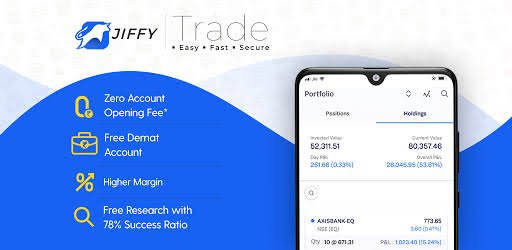
▪️Zero Account Opening Fee
▪️Dedicated Relationship Manager
▪️Free Call for Trade Facility
▪️Zero Square Off Charges
▪️Expert Advisory Team
▪️Highest Call Success Ratio
How to Open Jiffy Demat Account?
🔹Now it will redirect you towards playstore app to download ‘Jiffy Trading app’
🔹After Downloading the App you need to open the app and create an account
🔹Ask customer to fill personal details like name, mobile number, email id, city etc. now agree T&C and click on submit button
🔹Now customer need to enter OTP received on mobile number and verify
🔹Now customer need to enter PAN number and DOB and proceed to ‘Next’ 🔹Now customer will get pop up message on screen where he/she needs to do verification by OTP received on mobile and email id
🔹Now customer need to complete Digi locker KYC. Click on check box to authenticate Aadhaar
🔹Customer will have to enter Aadhaar number to receive OTP on the mobile number
🔹Enter received OTP and proceed to next process
🔹Now customer need to enter PAN card number and click on fetch
🔹Now customer need to complete selfie KYC, choose device to take selfie
🔹Customer need to Capture selfie from the screen camera and submit
Now customer need to fill basic details like father, mother name and marital status
🔹Now customer need to give bank details like IFSC, account number and select account type
🔹Now customer need to upload image of their signature
🔹Now customer need to attach income proof like bank statement/salary statement etc
🔹In next process customer need to select a plan (it will charge some amount for each plans)
🔹Now customer will have to eSign through Aadhaar number
🔹Customer will see NSDL window on the screen, simply enter Aadhaar number and click on send OTP
🔹Enter received OTP and verify
🔹Now customer’s account will be verified from the team and it will be activated within 1 tp 2 working days



 Leesom