Tag Archives: PANCARD

LINK AADHAAR WITH PAN

Link PAN Number with Aadhaar Number

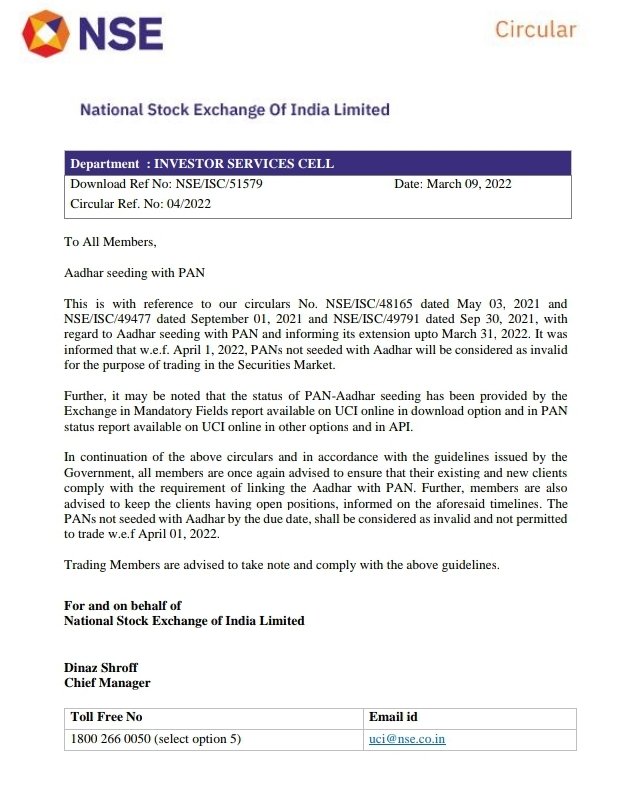
As per the Exchange circular dated 9th March 2022, you need to link your Aadhaar with your PAN before 31st March, 2022. If you do not link your Aadhaar to your PAN, you will not be allowed to trade from 1st April, 2022 onwards and your PAN shall be considered as invalid.

Steps on linking PAN to Aadhaar


The Link Aadhaar service is available to individual taxpayers (both registered and unregistered on e-Filing) who have a valid PAN and Aadhaar number. With this service, you can:

Link Aadhaar with PAN on the e-Filing portal:  Pre-login on the e-Filing homepage (for both registered and unregistered users) Post-login to the e-Filing portal (for registered users) View your Link Aadhaar status from the e-Filing homepage2.

Prerequisites for availing this service
▪️Valid PAN ▪️Aadhaar number ▪️Valid mobile number

Step-by-Step Guide

✅Link Aadhaar (Pre-Login and Post-Login)

👉Pre-Login: Go to the e-Filing portal homepage, and click Link Aadhaar. 
 
👉Post-Login: On your Dashboard, under the Link Aadhaar to PAN option, click Link Aadhaar.


Step 1b: Post-Login: You can also access this service from My Profile > Link Aadhaar.


Step 2a: Pre-Login: On the Link Aadhaar page, enter your PAN, Aadhaar Number, Name as per Aadhaar and a valid Mobile Number.


Step 2b: Post-Login: On the Link Aadhaar page, your Name, Date of birth (DOB), and Gender as per PAN will be pre-filled and non-editable. Enter your Aadhaar Number and Name as per Aadhaar.


Step 3: If you have only year of birth in your Aadhaar card, click I have only year of birth in Aadhaar card. It is mandatory to select I agree to validate my Aadhaar details. Then, click Link Aadhaar.


Step 4: Pre-Login: You will receive a 6-digit OTP on the mobile number you entered in Step 2a. On the Verification page, enter the Mobile OTP and click Validate. If you are using this service post-login, you won’t go through this step.


Note:

OTP will be valid for 15 minutes only.You have 3 attempts to enter the correct OTP. The OTP expiry countdown timer on screen tells you when the OTP will expire.On clicking Resend OTP, a new OTP will be generated and sent.

On success, you will get a message about your Aadhaar-PAN linking request being sent to UIDAI.
 

▶️View Link Aadhaar Status (Pre-Login)

Step 1: On the e-Filing portal homepage, click Link Aadhaar Status.
 
Step 2: Enter your PAN and Aadhaar Number and click View Link Aadhaar Status.


On successful validation, a message will display your Link Aadhaar status. 


▶️View Link Aadhaar Status (Post-Login)

Step 1a: On your Dashboard, click Link Aadhaar Status.


Step 1b: Alternatively, you can go to My Profile > Link Aadhaar Status.


Note:

If the validation fails, click Link Aadhaar on the Status page, and you will need to repeat the steps to link your PAN and Aadhaar.If your request to link PAN and Aadhaar is pending with UIDAI for validation, you will need to check the status later.You may need to lodge a request (e-Nivaran) or contact the e-Filing Helpdesk to un-link Aadhaar and PAN if: your Aadhaar is linked with some other PANyour PAN is linked with some other Aadhaar

On successful validation, a message will display your Link Aadhaar status.

PANCARD

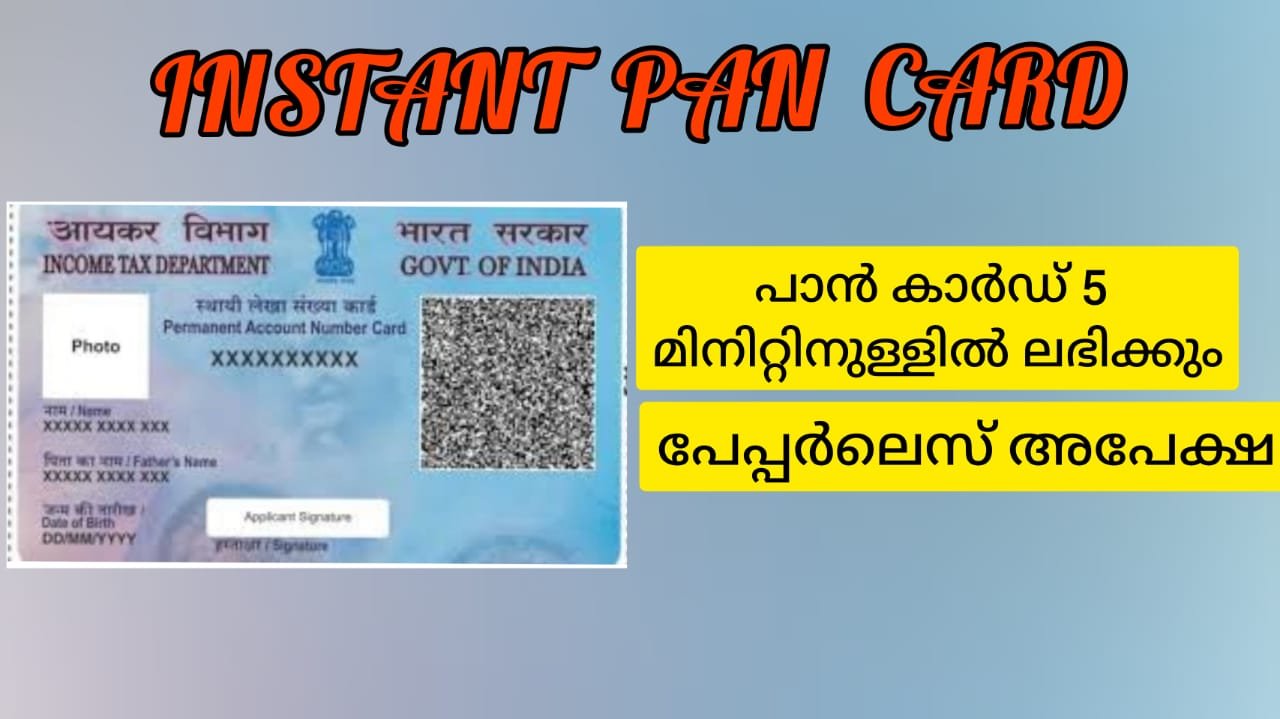
INSTANT PAN CARD

പാൻ കാർഡിന് വേണ്ടി അപേക്ഷിക്കാനുള്ള പ്രക്രിയ വളരെ എളുപ്പമായതായി ആദായനികുതി വകുപ്പ് അറിയിച്ചിട്ടുണ്ട്. ആധാർ കാർഡും ഒരു രജിസ്റ്റേർഡ് മൊബൈൽ നമ്പറും സ്വന്തമായുള്ളവർക്ക് ആദായ നികുതി വകുപ്പിന്റെ ഔദ്യോഗിക വെബ്‌സൈറ്റിൽ നിന്ന് 10 മിനിറ്റിനുള്ളിൽ ഇ-പാൻ ഡൗൺലോഡ് ചെയ്യാം. ആധാർ കാർഡിലെ കെ വൈ സി വിവരങ്ങളുടെ അടിസ്ഥാനത്തിൽ ലഭിക്കുന്ന ഡിജിറ്റൽ പാൻ കാർഡ് ആണ് ഇ-പാൻ. സാധുവായ ആധാർ കാർഡ് ഉള്ളവർക്ക് മാത്രമേ ഈ സൗകര്യം ലഭിക്കുകയുള്ളൂ. പി ഡി എഫ് ഫോർമാറ്റിലാണ് ഇ-പാൻ കാർഡ് ലഭിക്കുക. പ്ലാസ്റ്റിക് അല്ലെങ്കിൽ കടലാസിന്റെ ഉപയോഗം ഇല്ലാത്തതിനാൽ പരിസ്ഥിതി സൗഹൃദപരം കൂടിയാണ് ഇ-പാൻ കാർഡ്

പാൻ കാർഡിന് എങ്ങനെ അപേക്ഷിക്കാം?


പാൻ കാർഡ് അപേക്ഷിക്കുന്ന തിനായി താഴെ കൊടുത്തിരിക്കുന്ന ലിങ്കിൽ ക്ലിക്ക് ചെയ്യുക

https://eportal.incometax.gov.in/iec/foservices/#/pre-login/instant-e-pan/getNewEpan


ഘട്ടം 1: നിങ്ങൾ പുതിയൊരു പേജിലെത്തും. അവിടെ ‘ഗെറ്റ് ന്യൂ ഇ-പാൻ കാർഡ്’ എന്ന ഹൈപ്പർലിങ്ക് കാണാം. അതിൽ ക്ലിക്ക് ചെയ്യുക.
ഘട്ടം 2: പുതുതായി തുറന്നു വരുന്ന പേജിൽ നിങ്ങളുടെ ആധാർ നമ്പർ, മൊബൈൽ നമ്പർ, ജനനത്തീയതി എന്നിവ നൽകുക. ഈ വിവരങ്ങൾ സ്ഥിരീകരിക്കുന്നതിനായി നിങ്ങൾക്ക് ഒരു ഓ ടി പിയും ലഭിക്കും.

ഘട്ടം 3: ഈ വിവരങ്ങൾ സമർപ്പിക്കുന്നതിനായി ‘സബ്മിറ്റ്’ ബട്ടൺ ക്ലിക്ക് ചെയ്യുക.

ഇ-പാൻ കാർഡിന് നൽകിയ അപേക്ഷയുടെ സ്ഥിതി അറിയാനോ അത് ഡൗൺലോഡ് ചെയ്യാനോ ഈ ഘട്ടങ്ങൾ പിന്തുടരുക:

ഘട്ടം 1: വെബ്‌സൈറ്റിന്റെ ഹോം പേജിൽ നിന്ന് ഇ-പാനുമായി ബന്ധപ്പെട്ട ഓപ്‌ഷൻ തിരഞ്ഞെടുക്കുക.

ഘട്ടം 2: തുറന്നു വരുന്ന പേജിൽ നിന്ന് ‘ചെക്ക് സ്റ്റാറ്റസ്/ഡൗൺലോഡ് പാൻ’ എന്ന ലിങ്ക് ക്ലിക്ക് ചെയ്യുക.

ഘട്ടം 3: പുതിയ പേജിൽ ആധാർ നമ്പർ നൽകുക. രജിസ്റ്റർ ചെയ്ത മൊബൈൽ നമ്പറിൽ ലഭിക്കുന്ന ഓ ടി പി നൽകിയാൽ ഇ-പാൻ കാർഡിന്റെ നില അറിയാം.

ഘട്ടം 4: ഇ-പാൻ കാർഡ് പൂർത്തിയായാൽ അത് ഡൗൺലോഡ് ചെയ്യാൻ കഴിയും